
ZWCAD 2027 Beta: Faster CAD, Smarter Workflows, and a Serious Productivity Conversation for UK Design Teams
Is your CAD software helping your team move faster — or quietly slowing everyone down?
Most design teams do not wake up thinking about CAD software. They think about deadlines, drawing revisions, client changes, consultant files, plotting issues, Xrefs, DWGs that arrive in strange condition, and the annual licence bill that lands with all the subtlety of a brick through a greenhouse.
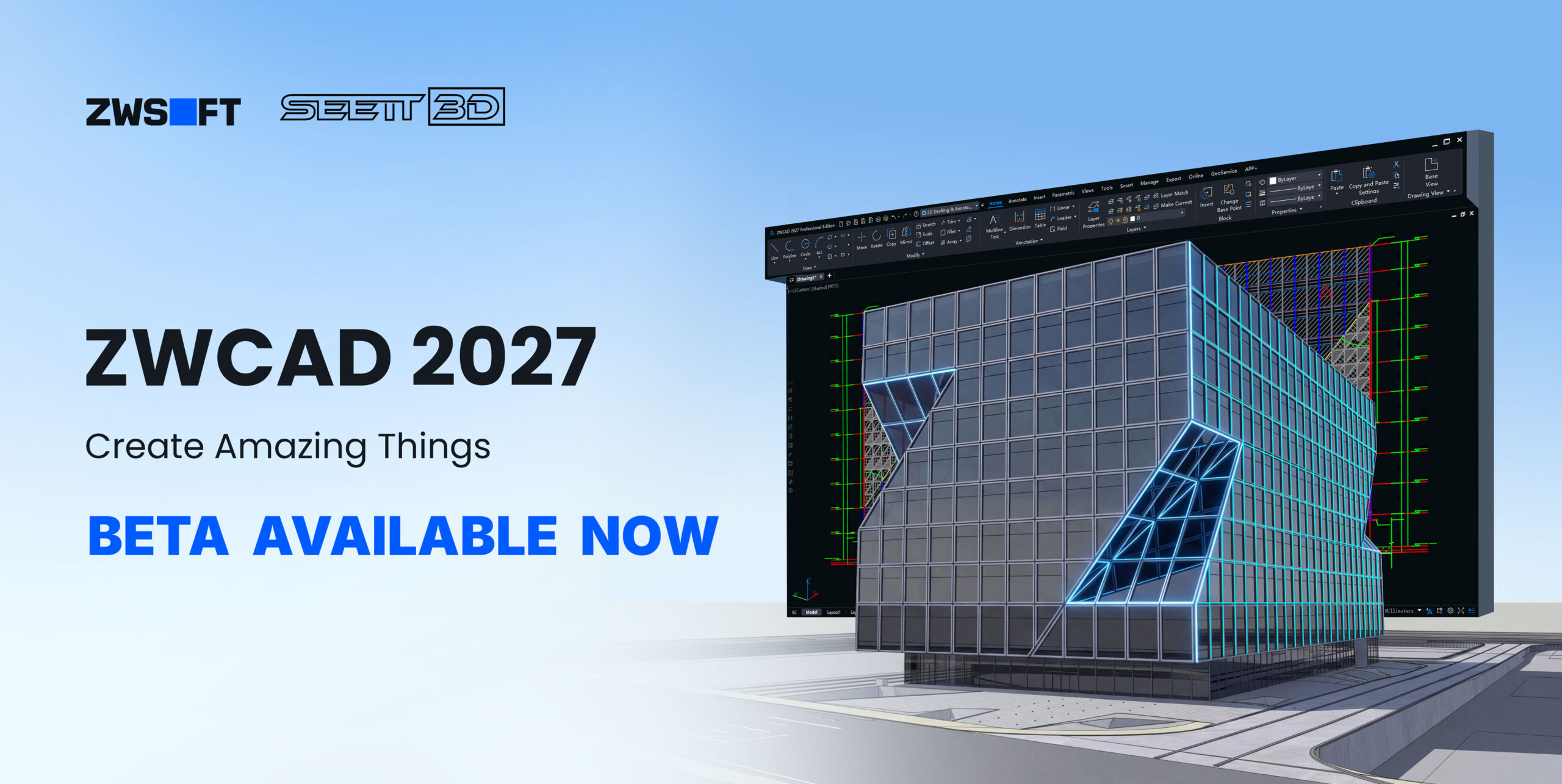
That is why ZWCAD 2027 Beta is worth a proper look. Not because it is simply another CAD update. The market has plenty of those.
ZWCAD 2027 Beta is interesting because it appears focused on the areas that matter in daily production: speed, DWG efficiency, repetitive task reduction, BIM file access, structured data extraction, and smoother handling of complex drawings.
For architects, engineers, construction teams, interior designers, landscape designers, CAD managers, and multi-seat practices, this is not just a feature conversation.
It is a productivity conversation. And productivity is often the quiet difference between profit and pain.
ZWCAD Promo + Trial Options
Take advantage of 15% off all Perpetual ZWCAD licences, with 1 Year Maintenance included free for one year, plus a free upgrade to ZWCAD 2027 when released later this year.
Why ZWCAD 2027 Beta matters
CAD software should not get in the way. That sounds obvious, but many professional users have quietly accepted workflows where the software demands too much patience: slow file handling, manual drawing data extraction, overcomplicated coordination, expensive subscriptions, and repetitive tasks that should have been automated years ago.
ZWCAD 2027 Beta challenges that frustration directly. The beta communication highlights faster file open and save performance, improved nested editing, better handling of complex drawings, direct RVT import, and batch data extraction to Excel or CSV.
The business question
Is your current CAD setup still the best tool for the way your team works today — or have you simply learned to tolerate its limitations?
1. Faster performance where it actually counts
Nobody gets excited about performance improvements until they are watching a file hang while a deadline breathes down their neck. Then speed becomes the most important feature in the room.
The reported performance improvements include faster in-place block editing, improved file open and save times, and stronger map loading performance. These are not glamorous upgrades, but they are exactly the kind of improvements users feel across a heavy working day.
For teams working with large DWG files, consultant drawings, civil layouts, construction information, layered plans, or geospatial data, speed is not a luxury. It is operational oxygen.
2. BIM access inside a CAD environment
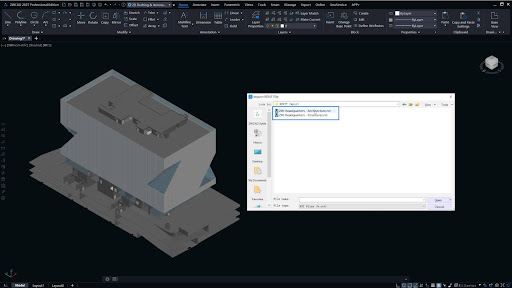
One of the biggest talking points in ZWCAD 2027 Beta is native RVT import. This matters because many CAD-based businesses are now receiving Revit models from clients, structural engineers, MEP teams, or consultants — even when their own production workflow is still DWG-led.
Let us be clear: ZWCAD is not Revit. It is not trying to replace Revit as a BIM authoring platform. That is actually the point.
Many firms do not need to author full BIM models. They need access to useful BIM information without buying into a heavier workflow than the business actually requires.
Plain-language positioning
ZWCAD 2027 Beta is not trying to be Revit. It is positioning itself as a CAD companion that can speak enough BIM to help real teams coordinate better.
3. Batch data extraction: the quiet hero feature
Not every productivity feature wears a cape. Some simply stop your team wasting hours copying drawing information into spreadsheets.
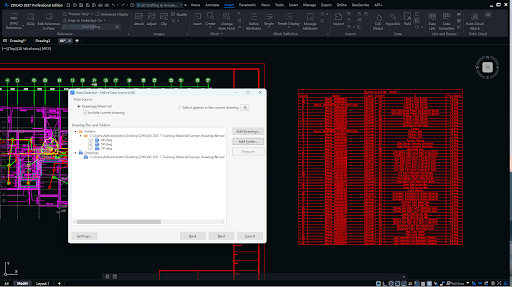
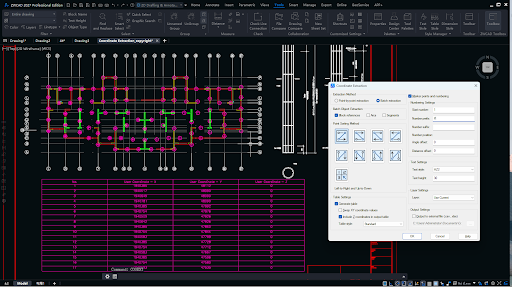
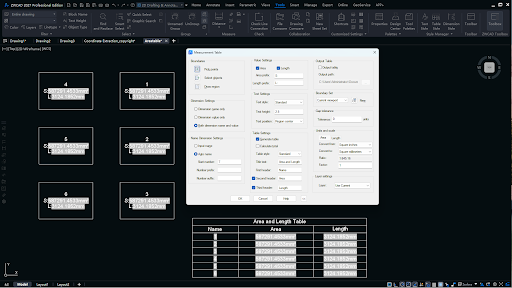
The beta communication highlights direct export to Excel or CSV, batch data extraction, one-step table creation, and coordinate export. This is a major workflow improvement for teams dealing with schedules, quantities, coordinate-heavy drawings, asset information, drawing audits, measured data, or project documentation.
The old way is familiar: open drawing, extract information, copy, paste, check, repeat, doubt yourself, check again, find a mistake, and quietly question your career choices.
The better way is to let the software extract structured information consistently.
Excel / CSV Output
Move useful drawing information into structured outputs for schedules, audits, and project records.
Batch Extraction
Reduce repetitive manual administration across multiple drawings and project files.
Lower Error Risk
Automation helps reduce the mistakes that creep in when people are tired, rushed, or repeating dull tasks.
4. Smarter plotting and drawing output
Plotting is not glamorous. It is also where plenty of time, paper, and patience go to die.
ZWCAD 2027 Beta includes smarter output features such as Smart Merge, which is designed to calculate a more efficient arrangement of drawing layouts across output sheets before printing.
For practices producing planning sets, technical packs, tender information, construction packs, or large-format drawings, this can make a real difference.
5. Better Xref control for cleaner collaboration
Anyone who has worked on shared CAD projects knows the pain of messy Xrefs. Different colours. Different layer standards. Consultant files that arrive looking like a bag of highlighters exploded across the screen.
Improved Xref display control helps CAD managers and project teams create a cleaner, more consistent working environment.
Clean CAD standards are not decoration. They are business infrastructure.
Messy drawings slow people down, confuse communication, and create avoidable mistakes.
ZWCAD 2027 Beta is not just about features — it is about commercial control
The bigger conversation is not only what the software can do. It is what it costs, how it is licensed, how flexible it is, how quickly your team can adapt, and whether your current CAD platform still serves the business properly.
For years, many design and engineering companies have stayed with familiar CAD systems because switching felt risky. That is understandable. CAD affects templates, plotting, drawing standards, staff confidence, old project files, DWG exchange, consultant workflows, and client delivery.
You do not change CAD software because a brochure looks pretty. You test it because the numbers, workflow, and business case start to make sense.
Who should be looking closely at ZWCAD 2027 Beta?
- Businesses using AutoCAD or AutoCAD LT and questioning ongoing licence costs.
- Multi-seat firms where annual CAD spend has become a board-level frustration.
- Teams working heavily with DWG files, Xrefs, blocks, plotting, and consultant drawings.
- Practices receiving Revit/RVT files but not fully authoring projects in Revit.
- Engineers, architects, quantity surveyors, landscape teams, and construction coordinators doing repetitive data extraction.
- CAD managers who need stronger drawing standards, cleaner collaboration, and better workflow consistency.
- Design teams that want to modernise without detonating the entire office workflow.
What should you test before switching?
Do not judge ZWCAD 2027 Beta from a blank drawing and a quick play with lines and circles. That tells you almost nothing. Test it properly.
Use real project files. Use your own templates. Open your actual DWGs. Check your CTBs. Test your blocks. Test your Xrefs. Test plotting. Test PDF export. Test imported consultant drawings. Test the routines and workflows your team depends on every week.
A sensible CAD evaluation checklist
| Area to test | Why it matters |
|---|---|
| DWG file opening and saving | Confirms speed and reliability with live project drawings. |
| Templates, CTBs, and plotting | Protects office standards and drawing output quality. |
| Blocks and nested editing | Tests daily editing performance in real production drawings. |
| Xrefs and consultant files | Checks collaboration workflows without altering source information. |
| PDF export and print output | Ensures client and contractor deliverables remain professional. |
| RVT import | Tests whether BIM reference data is usable for your team. |
| Data extraction and Excel/CSV output | Measures time savings in schedules, coordinates, and drawing audits. |
| Staff learning curve | Reveals adoption risk and training requirements before committing. |
Final thoughts: a serious productivity release
ZWCAD 2027 Beta appears to be aimed at one clear outcome: helping CAD teams work faster, reduce repetitive tasks, and access more project information without unnecessary friction.
The headline areas are strong: RVT import, batch data extraction, faster performance, improved file handling, smarter output tools, better Xref control, and more practical automation.
But the deeper message is stronger still. This release is about giving design and engineering teams more control over their workflow, their time, and their software investment.
For UK firms under pressure to deliver more with leaner teams, that matters. CAD software should not be a tax on productivity. It should be a tool that helps skilled people do their best work with fewer barriers.
ZWCAD 2027 Beta deserves a proper look — not because every firm should switch overnight, but because every smart firm should regularly ask whether the tools they use are still serving the business.
Ready to compare, test, or buy?
If you are considering ZWCAD 2027 Beta, SEEIT3D can help you review it against your real drawings, real workflows, and real business needs. Bring the real files. Bring the real problems.
Speak to SEEIT3D About ZWCAD