
SketchUp2027
Non-destructive modelling, much faster LayOut drawings and one consistent interface on Mac and Windows. Buy or upgrade through SEEIT3D and get advice and training from a team that has taught SketchUp since 2004.
Already subscribed? See how to update

- Authorised SketchUp reseller and training centre
- Teaching SketchUp since 2004
- Rated 4.5 on Trustpilot
- Based in Scotland, UK, working globally
What’s new in SketchUp 2027
The biggest changes land in four places. Choose one to see what it means for your work.
Change your mind without rebuilding
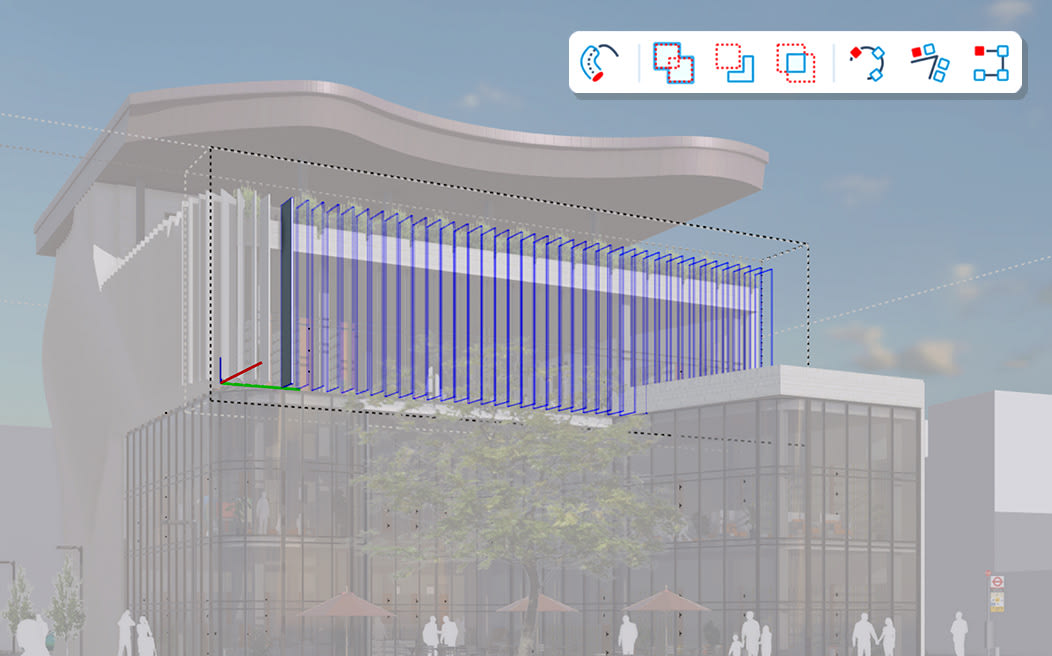
The tools you already know now remember how a shape was made, so you can go back and edit it.
- Procedural Follow Me
- Sweep a profile along a path and both stay editable. Swap the profile or redraw the path later and the shape updates.
- Non-destructive solid tools
- Union, subtract and trim while the original objects stay editable, and reverse an operation long after you made it.
- Copy along a path
- Array objects along any route, then change the spacing or count whenever you like.
- Stacked operations
- Chain several operations together and drive different results from one base component.
- AutoFit live components
- Doors, windows and fixtures that resize and reposition themselves to fit the face or opening you place them in.
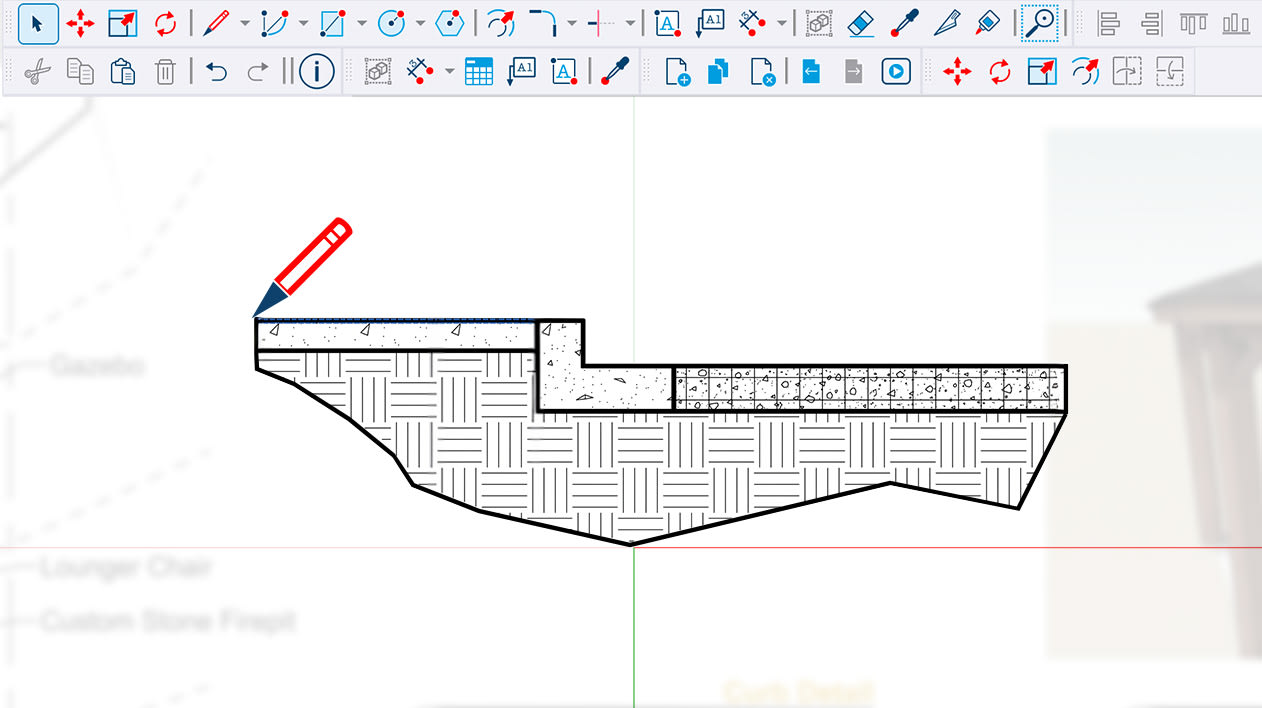
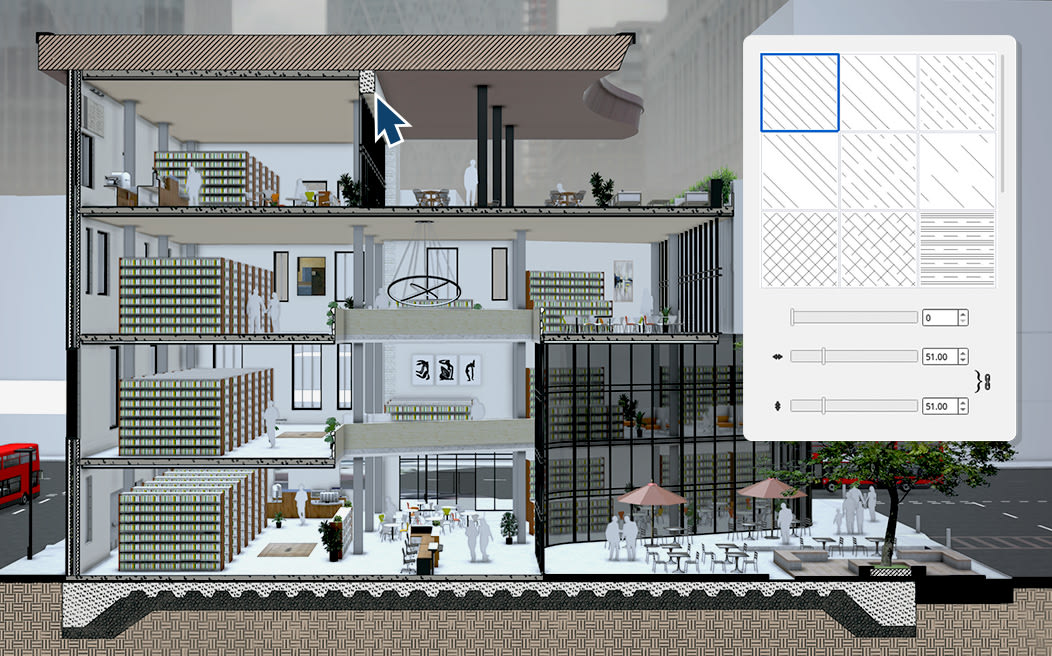
- Hatched section cuts
- Sections show proper material hatches, set by object, material or style. You can import your own patterns too.
LayOut drawings in a fraction of the time
A new rendering engine and a pageless canvas take the waiting and guesswork out of drawing sets.
- Faster hidden-line rendering
- Heavy scenes load up to 85% faster, and PDF and DWG exports speed up with them.
- Paperless canvas
- Draw details at full scale in LayOut and decide on the sheet size afterwards.
- Image editing in viewports
- Adjust brightness, contrast, opacity and colour of images and model views without leaving LayOut.
One tidy workspace on Mac and Windows
The same layout and the same habits, whichever machine you sit at.
- Redesigned Mac interface
- Dock toolbars and trays to the edges of the window. No more floating panels to chase around the screen.
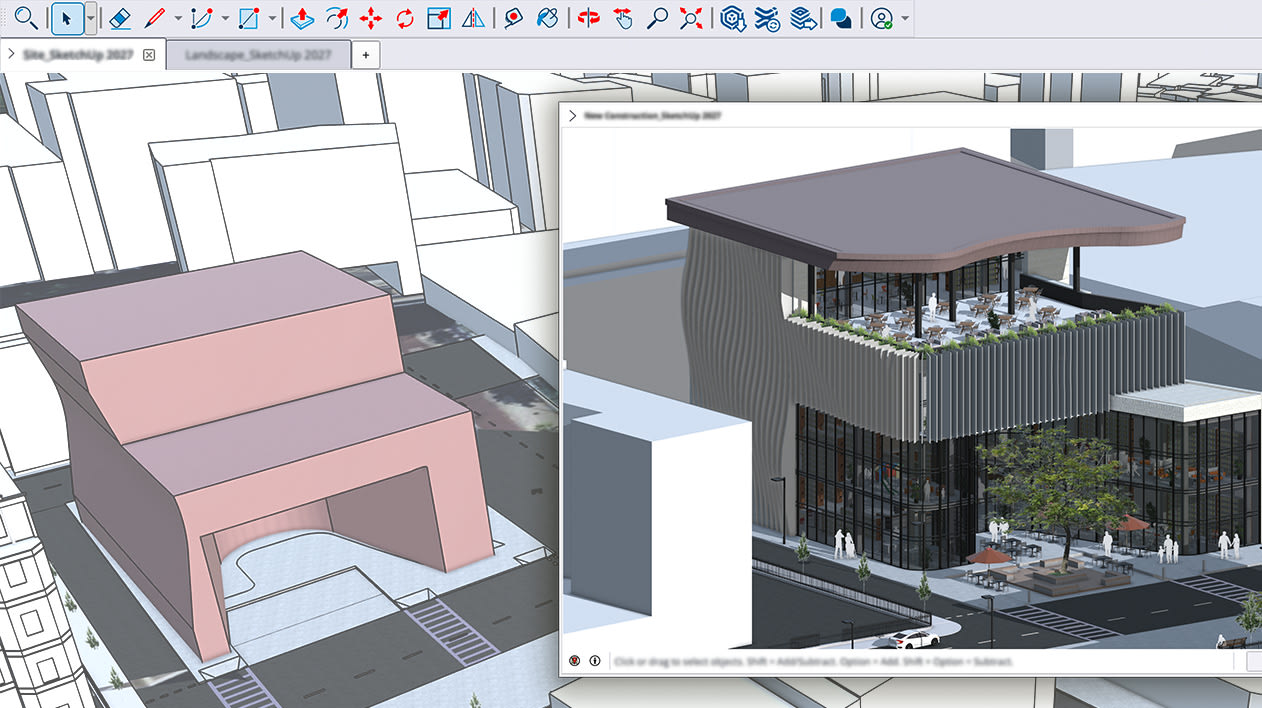
- Multiple models in tabs
- Open several files in one window, switch between them with tabs and copy geometry from one to another.
Cleaner handovers to CAD and BIM
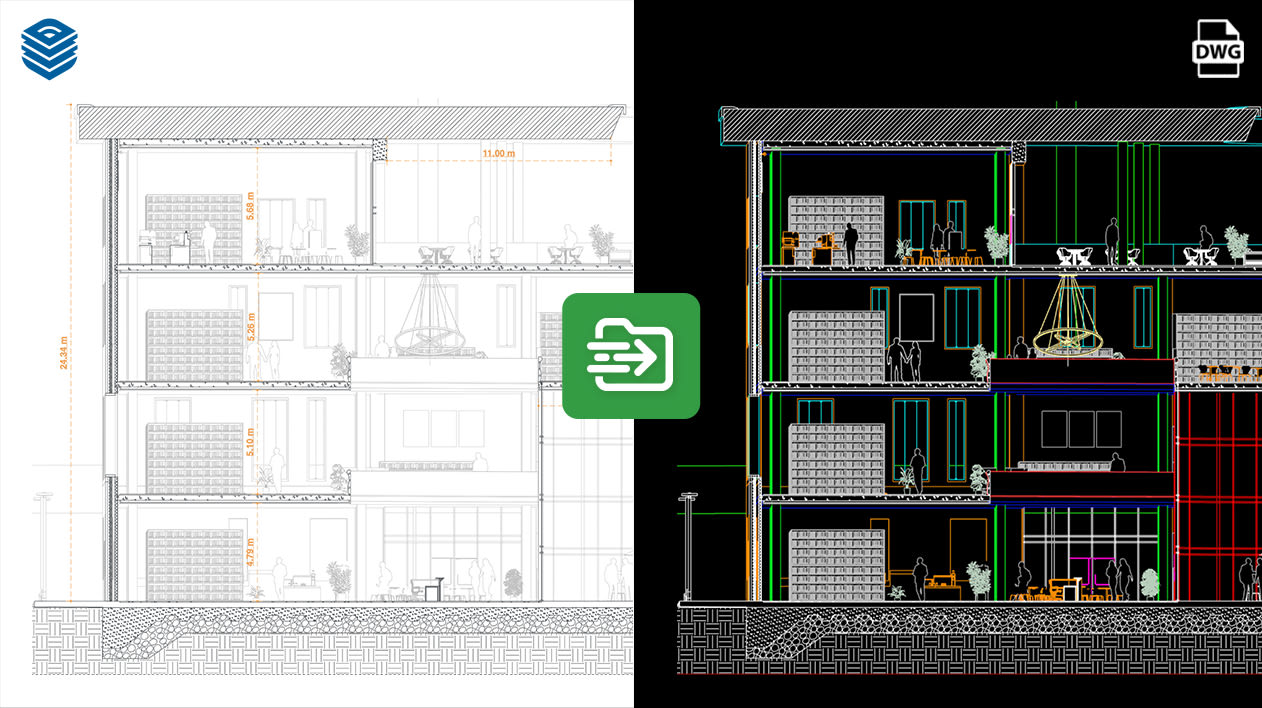
Files arrive the way they were drawn and leave with their data intact.
- More accurate CAD import
- More control over how DWG and DXF files come in, so imported geometry matches the original.
- Better IFC export
- Models leave SketchUp with their data and coordinates in the right place.
- TrimBIM (.trb) format
- A new lightweight file format that keeps your model’s data and properties.
- Wider USD support
- Import and export USD for smoother hand-offs to visualisation tools.
Want every detail? Read Trimble’s SketchUp 2027 release notes.
What 2027 changes for your work
Faster files, editable modelling and better import and export, seen through the jobs our clients do every day.
Adjust layered walls, repeat site furniture along a path and sculpt massing with editable solid tools, so a design change no longer means rebuilding. LayOut drawings keep pace, on Mac or Windows.
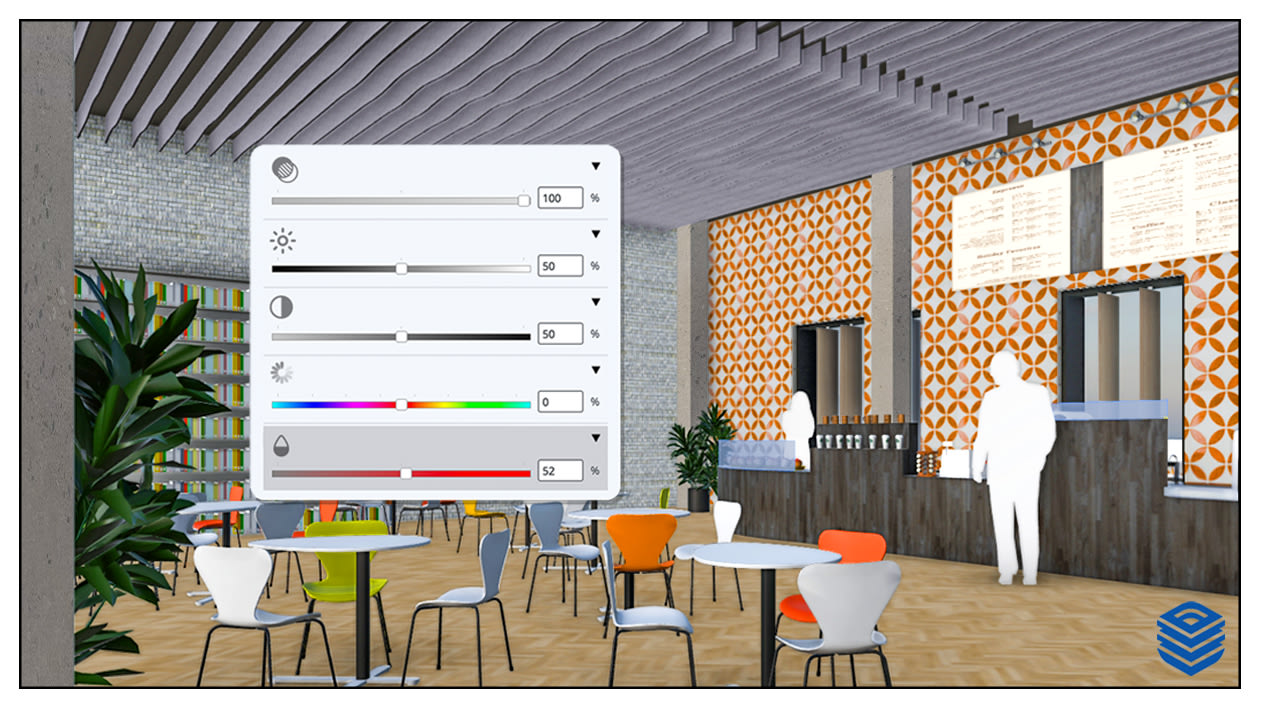
Model skirting, cornicing, panelling and cladding as editable sweeps: change the profile once and every run updates. Polish presentation images inside LayOut and flick between client options in tabs.
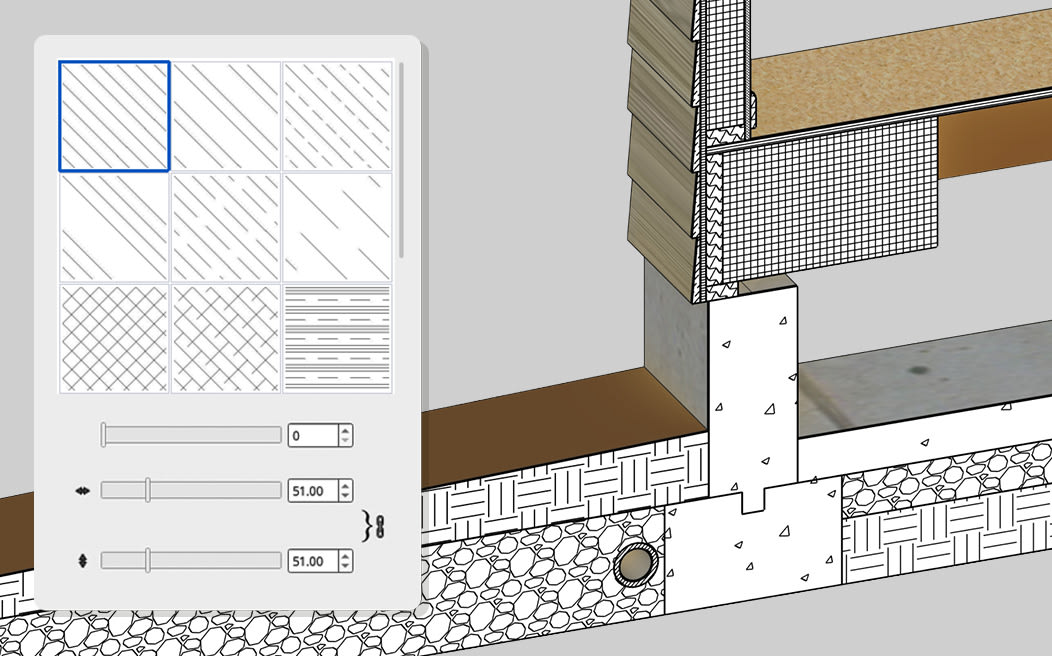
Change a wall build-up layer by layer without redrawing it, show sections with proper material hatches and draft details at full scale before you pick a sheet size.
Roll out store layouts faster. Fixture arrays stay editable, so stakeholder comments become quick revisions, and drawing exports no longer hold the programme up.
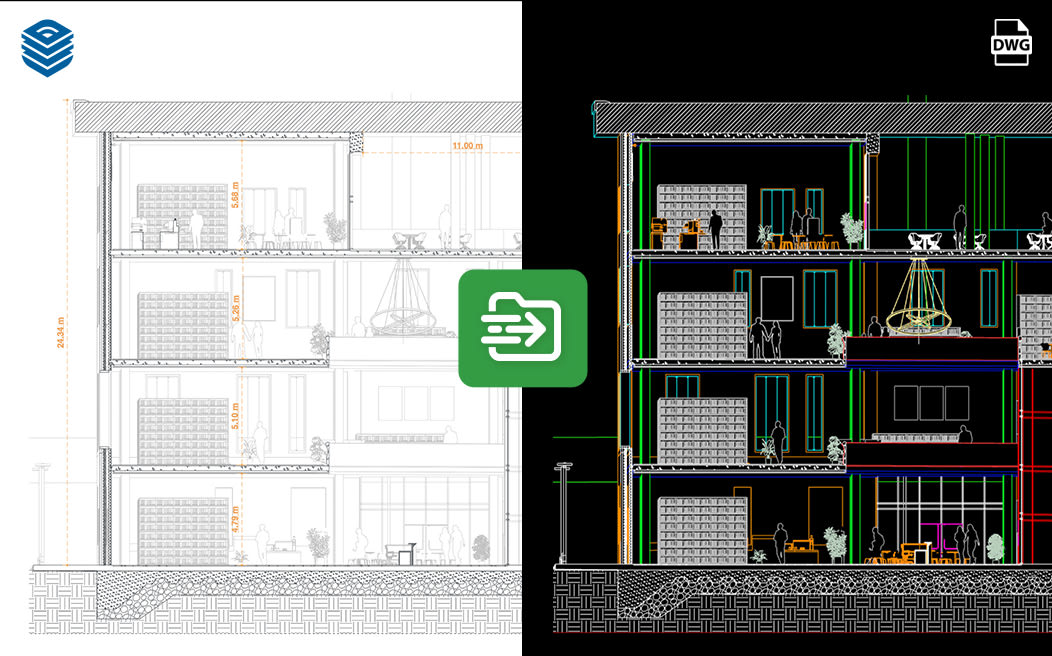
Lay out planting, seating and lighting along paths and edges, adjust the spacing whenever you like, and hand over to engineers and architects in the CAD and BIM formats they use.
Our clients also use SketchUp for kitchen and bathroom design, joinery, facilities management, real estate and surveying. Tell us how you work and we’ll show you what 2027 changes for you.
Compare SketchUp plans
Every new SketchUp 2027 desktop feature comes with Pro, Studio and the Pro plans. SketchUp Go is for modelling in a browser or on iPad. Click any feature to see what it does.
| Compare core plans | SketchUp GoEssentialFor essential 3D design. iPad and web only. | SketchUp ProProfessionalThe complete toolkit for professional design. | SketchUp StudioSpecialistFor advanced visualisation and BIM workflows. Windows only. |
|---|---|---|---|
| Included in each plan | |||
SketchUp for WebModel in any web browser, with nothing to install. | Included | Included | Included |
ViewersOpen, present and share models on web and mobile, without editing tools. | Included | Included | Included |
SketchUp for iPadSketch and model with Apple Pencil, on site or on the move. | Included | Included | Included |
SketchUp for DesktopThe full SketchUp modeller, including every 2027 tool. | Not included | Included | Included |
LayOutTurn models into scaled 2D drawings, plans and presentation sheets. | Not included | Included | Included |
3D WarehouseThe library of ready-made models: furniture, fittings, products and more. | 250 daily & 2,500 monthly downloads | 1,500 daily & 15,000 monthly downloads | Unlimited daily & 25,000 monthly downloads |
Trimble ConnectCloud storage and project sharing for your models and team. | Unlimited cloud storage & projects | Unlimited cloud storage & projects | Unlimited cloud storage & projects |
PreDesignQuick climate insight for your site to guide early design decisions. | Not included | Included | Included |
Extension WarehouseAdd tools from more than 1,000 extensions for specialist workflows. | Not included | Included | Included |
Scan EssentialsImport point clouds and model directly on top of scan data. | Not included | Not included | Included |
Revit ImporterBring Revit models into SketchUp and work with them as SketchUp geometry. | Not included | Not included | Included |
V-RayPhotorealistic renders, animations and 360° panoramas from your models. | Not included | Not included | Included |
Dynamic ComponentsComponents with built-in options, such as configurable sizes and materials. | Not included | Included | Included |
Live ComponentsParametric objects you adjust with simple controls instead of remodelling. | Included | Included | Included |
Photoreal MaterialsRealistic materials that make models read convincingly straight away. | Included | Included | Included |
EnvironmentsImage-based backgrounds and lighting that set your model in a real-looking scene. | Included | Included | Included |
Site Contractor ExtensionPrepare models for site and earthworks workflows with Trimble Siteworks. | Not included | Not included | Included |
| New in SketchUp 2027 | |||
Procedural modelling toolsFollow Me and solid tools that stay editable after you use them. | Not included | Included | Included |
AutoFit live componentsComponents that resize and reposition to fit the face or opening you place them in. | Not included | Included | Included |
Redesigned Mac interfaceDock toolbars and trays to the window edges, with no floating panels. | Not included | Included | Included |
Multiple models in tabsOpen several models in one window and copy geometry between them. | Not included | Included | Included |
Faster LayOut exports and viewsUp to 85% faster loading in heavy scenes, plus faster PDF and DWG exports. | Not included | Included | Included |
Paperless canvas in LayOutDraw at full scale first, then choose the sheet size. | Not included | Included | Included |
Image editing in LayOut viewportsAdjust brightness, contrast, opacity and colour without leaving LayOut. | Not included | Included | Included |
| Compare Pro plans | Pro ScanScan-to-3DA complete scan-to-3D solution. Windows only. | Pro Civil Contractor3D-to-fieldFor accurate stakeout and excavation workflows. | Pro Advanced WorkflowsInteroperableThe complete 3D toolset for interoperable workflows. Windows only. |
|---|---|---|---|
Everything in ProDesktop SketchUp, LayOut, web and iPad, plus every SketchUp 2027 feature. | Included | Included | Included |
Scan EssentialsImport point clouds and model directly on top of scan data. | Included | Not included | Included |
Trimble Site ContractorLink your models to Trimble Siteworks for stakeout and excavation work. | Not included | Included | Included |
Trimble Field PointsBring field data into SketchUp so you can model from accurate site points. | Included | Included | Included |
Revit ImporterBring Revit models into SketchUp and work with them as SketchUp geometry. | Not included | Not included | Included |
UK prices for every plan
See current prices for Go, Pro, Studio and the Pro plans on our price list.
Check your computer first. SketchUp 2027 needs an Apple Silicon Mac or Windows 11. On an Intel Mac or Windows 10, stay on SketchUp 2026, or ask us about a workstation that’s ready for 2027. Full system requirements
Not sure which plan you need? Call 0333 121 2187 and we’ll talk it through.
Buy SketchUp from the people who teach it
SEEIT3D was founded in 2004 by James Ogston, a Trimble-authorised SketchUp trainer. You get the same official subscription as buying direct, plus a team in Edinburgh who’ll help you choose it, set it up and get good at it.
Advice before you buy
Tell us what you design and we’ll recommend the plan and extensions that fit, so you don’t pay for tools you won’t use.
Training on the new tools
Live 1:1 or group sessions, online or on site across Scotland and the UK, recorded so you can watch them again.
Extensions and rendering
Profile Builder, Skimp, PlaceMaker, V-Ray, Enscape, D5 Render and more, all from one supplier.
Hardware that’s ready for 2027
HP, Lenovo and Dell workstations specified for SketchUp, plus 3Dconnexion mice.
Questions about 2027
Can’t find your answer? Call 0333 121 2187 or email info@seeit3d.co.uk.
I don’t have SketchUp yet. How do I get 2027?
Buy a SketchUp Pro or Studio subscription from us and you can download 2027 straight away. Want to try it first? Start the 7-day free trial and we’ll help you choose a plan when you’re ready.
I already subscribe. How do I update?
An active Pro or Studio subscription includes 2027 at no extra cost. Download it from your SketchUp account; your previous version stays installed, so you can switch over when it suits you.
Trimble’s update guide covers every app, including web and iPad, or call us and we’ll talk you through it.
Will SketchUp 2027 run on my computer?
On a Mac you need Apple Silicon; on a PC you need Windows 11. If you’re on an Intel Mac or Windows 10, keep using SketchUp 2026.
If it’s time for new hardware, we supply HP, Lenovo and Dell workstations set up for SketchUp. See the full requirements.
Does SketchUp Go include the new features?
No. The 2027 desktop features, including procedural tools, AutoFit live components, the new LayOut tools and the redesigned Mac interface, come with Pro, Studio and the Pro plans. Go gives you SketchUp for web and iPad.
Will my extensions, templates and materials carry over?
SketchUp has built-in tools to bring them across from your previous version. Some extensions need an update from their developer for each new release, so check yours before you rely on them for a live project. How migration works
Why buy from SEEIT3D rather than direct from Trimble?
You get the same official SketchUp subscription, plus a UK team who’ll advise on the right plan, help with setup and licensing, and train you on the new tools. We’ve taught SketchUp since 2004 and are an authorised reseller and training centre.
Can you train my team on 2027?
Yes. We run live 1:1 and group sessions, online or on site, and every session is recorded. Tell us what you design and we’ll focus on the 2027 tools that matter for your work. See training options
Ready to move to 2027?
Buy online, start a free trial or call us for advice.
- Call
- 0333 121 2187
- Software, hardware and support
- info@seeit3d.co.uk
- Training and consultancy
- jamesogston@seeit3d.co.uk
- Visit
- 3F1, 3 Hill Street
Edinburgh EH2 3JP
SketchUp, LayOut and Trimble are trademarks of Trimble Inc. Product images © Trimble Inc.